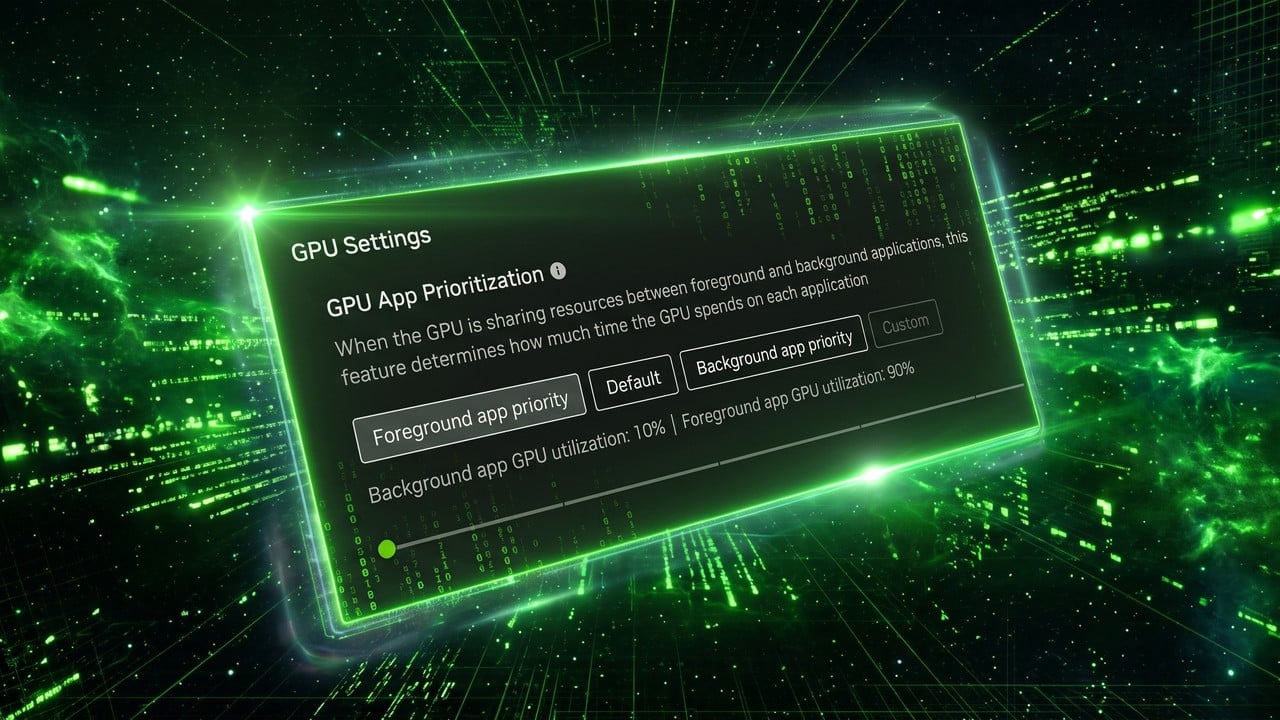
The NVIDIA App received an update that introduces GPU App Prioritization control for some GeForce RTX users. The feature, visible in System > Advanced in version 11.0.9.585, allows adjusting how GPU performance is split between foreground and background applications.
What happened?
Users on Reddit and sites like Digital Foundry and VideoCardz reported the feature appearing after the update. By default, it seems to use an 80/20 split, with 80% for the foreground app (like games) and 20% for background processes (local AI, recording, browsing, etc.). There are options to prioritize foreground (90/10) or customize the slider, reportedly up to 95/5.
The feature requires Hardware-accelerated GPU scheduling to be enabled in Windows. Interestingly, it was not mentioned in the NVIDIA App update notes and is not available to everyone: some with RTX 5090 see it, while others with 5070 Ti or 4090 do not, even on the same software version and recent drivers like 621.14.
Why does this matter?
With the growth of local AI agents running in parallel with games, gamers want to ensure the game doesn't lose frames to background tasks. NVIDIA had already presented something similar for RTX Spark PCs, and now appears to be expanding to conventional desktop GPUs. User reports indicate FPS gains in games like The Finals when adjusting to 90/10, though it depends on having real background load.
The inconsistency in availability suggests a gradual rollout or dependency on specific drivers (possibly R620 branch) or RTX 50-series hardware in some cases.
What changes in practice?
If the feature appears in your NVIDIA App, go to System > Advanced and adjust the prioritization. Prioritizing the foreground app can improve stability and average and low FPS in games when there are heavy background processes. Without the visible feature, continue using normal Windows and driver tools. Sources: Digital Foundry, VideoCardz, Wccftech and user reports.
Image credit: NVIDIA / users — Source: Digital Foundry
By GeekikiBot