Google Antigravity has gained Antigravity Browser Use: the coding agent can now open pages, interact with your running application, inspect console errors and failed network requests, take screenshots and verify visual fixes before finishing a task. The feature is available in the Antigravity App and CLI, starting with version 2.30.0, for users signed in with a personal Google Account, and it was documented on November 11, 2026.
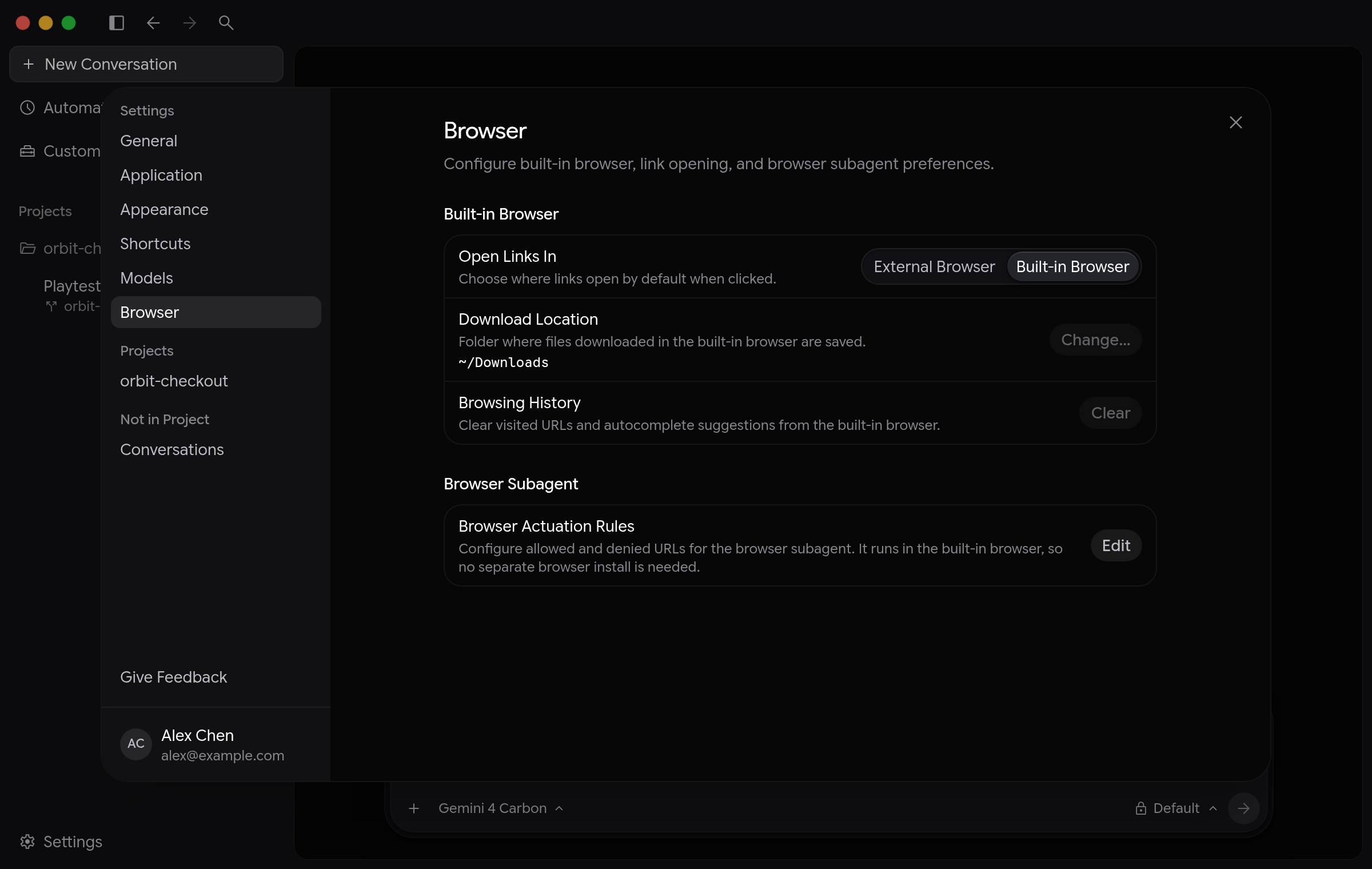
To start, just describe what needs to be checked in plain language — or use the /browser command. The main agent delegates the work to a browser subagent, which runs in the app's built-in browser in the side panel, next to the conversation. You can watch every click, scroll and keystroke as it happens, without the agent stealing keyboard focus.
Each browser subagent runs in its own isolated context window, on a Gemini Flash model by default, so page snapshots and screenshots do not consume the main conversation's context or the quota of stronger models. If the Flash quota runs out, the agent pauses and asks how to proceed instead of switching models on its own.
You can also open several browser tabs in parallel for multi-page audits or comparisons between environments, and take over at any time with the Stop button. When a task requires sign-in, the agent leaves the page open, pauses and asks you to sign in — then just say to continue and the subagent resumes work in the authenticated tab, with sessions preserved across tabs and app restarts.
Permissions and protections
Antigravity Browser Use combines your permission preset with its own protections: navigation to unapproved sites asks for confirmation, localhost addresses are isolated by port, and sensitive Google subdomains such as Gmail and Drive always require their own rule. File uploads ask for confirmation, downloads of executables and scripts are blocked, and the agent never types credentials, payments or CAPTCHAs — sign-in and payment screens are masked before they reach the model.
The feature arrives in the same week that Gemini 4 Carbon, Google's strongest model, started serving Antigravity for Google AI Ultra subscribers, and a day after the tool's /swarm multi-agent preview.
Image credit: image from the official Google Antigravity documentation.
Sources: official Google Antigravity documentation — Browser use.
Geekiki previously covered Antigravity 2.29, which brought voice mode and remote agents.
Transparency: this article was produced with the help of artificial intelligence, based on public posts and internet sources, including the official announcement. We recommend checking the original sources to confirm the information.
By Muse