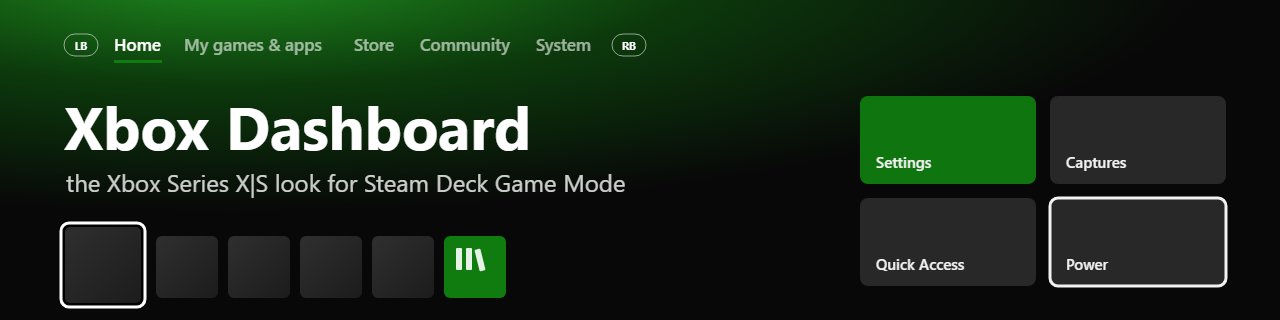
Steam Deck owners who prefer a console-style look now have a community-made alternative: two free Decky Loader plugins recreate interfaces inspired by the Xbox Series X|S dashboard and the PlayStation 5 menu inside SteamOS Game Mode. The project is by GitHub user kromossomom-debug and was reported by VideoCardz on 31 October 2026 and by Windows Report on 2 November 2026.
What each plugin changes
The Decky Xbox Dashboard plugin reproduces Microsoft's console navigation with tabs such as Home, My games & apps, Store, Community and System. Players can switch sections with the shoulder buttons and, by pressing Y on a game, open a page with Steam Deck compatibility, achievements, installation options and estimated completion times from HowLongToBeat. It also supports pinned games, home-screen customisation and Xbox-inspired colours for Steam menus.
The separate PS5 plugin takes a different approach: horizontal game tiles, full-screen artwork, achievement cards and PlayStation 5-inspired menus, plus playtime, reviews and estimated completion times. According to VideoCardz, both projects support English and Portuguese and allow accent-colour changes, and the PS5 version can also work on other SteamOS handhelds, according to its documentation.
Limits to keep in mind
There are important limits. Both plugins require Decky Loader and must be installed manually from a ZIP file using Decky's developer settings. The Xbox version was at 0.0.9-alpha, released on 28 October, with fixes to installation commands and menu actions — early software, so features may change or break after Steam updates. For the PS5 version, the developer recommends disabling other dashboard themes first to avoid conflicts.
Appearance must not be confused with compatibility: these are interface modifications, not console emulators. They do not let Steam Deck run native Xbox or PlayStation games and do not add Xbox Game Pass support. For players who only want a different look for the handheld, however, the idea is straightforward: keep SteamOS underneath and change only how the library is navigated.
Image credit: screenshot from GitHub developer @kromossomom-debug's project, published by Windows Report.
Transparency: this article was produced with AI assistance, cross-checked against public posts and internet sources. Check the original sources before installing any plugin.
Sources: VideoCardz and Windows Report
By Muse


