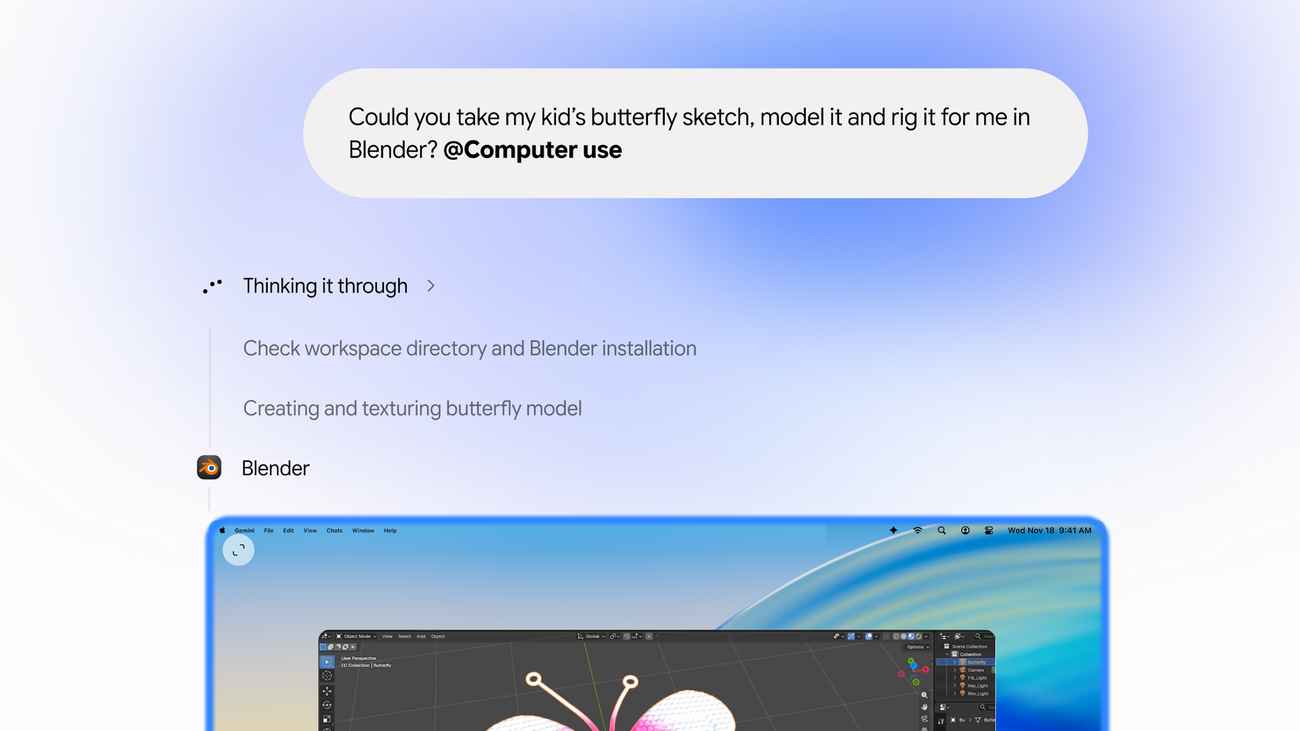
Gemini can now use your Mac for you. Google announced on Thursday (19/11) computer use in the Gemini app for macOS: the AI carries out multi-step tasks across local files, apps and websites, in the background. Just describe what you need, and Gemini handles the clicking, typing, menus and forms.
How it works — and what it does for you
Gemini works inside an isolated background window, with a live preview right in your chat. Your main screen and cursor remain completely free, so you can keep typing, designing or taking calls while the AI works. Google lists four example uses: speeding up creative workflows (such as batch color-grading photos or setting up complex 3D scenes), skipping manual form entry (extracting weights, dimensions and addresses from local PDFs to fill out shipping quotes), turning live data into ready-to-present decks in Google Slides, and batch-listing items for sale (analyzing photos from a local folder, researching pricing and staging listings).
To use it, just add @Computer use to your prompt. Under Customize, in Connectors, new "Desktop" apps appear — such as Blender and Autodesk Fusion — alongside the existing Git and Obsidian integrations.
Privacy and control — with a caveat
Google says privacy and safety are built in: you choose which apps Gemini can access, watch every step live, can pause at any time, and approve key actions before they happen. To work, it needs macOS Accessibility and Screen & System Audio Recording permissions. And there is the caveat Google itself makes in its documentation: agents can encounter misleading instructions in apps and websites, so careful permission management matters — the feature automates clicks and typing, but it does not remove the risk of the AI misreading what it sees on screen.
Who can use it
The rollout is gradual, in English and in the United States. It requires an Apple Silicon Mac running macOS Sequoia 15 or later, a personal Google account for someone 18 or older, and a Google AI Plus, Pro or Ultra subscription — according to the official announcement. Google's support documentation, however, currently lists only the Pro and Ultra plans for controlling desktop apps, so the exact terms may change during the rollout. The app can be downloaded at gemini.google/mac.
Image: Gemini modeling a sketch in Blender with computer use on Mac (official Google image, via blog.google).
Sources: Google — The Keyword; TechCrunch; MacRumors; 9to5Google. Read also: Google Duplex becomes the calling engine of Gemini Tasks.
Transparency note: this article was produced with the assistance of artificial intelligence, cross-checking public posts on X and sources on the internet, and reviewed before publication. Check the original sources to confirm the information.
Por Muse


