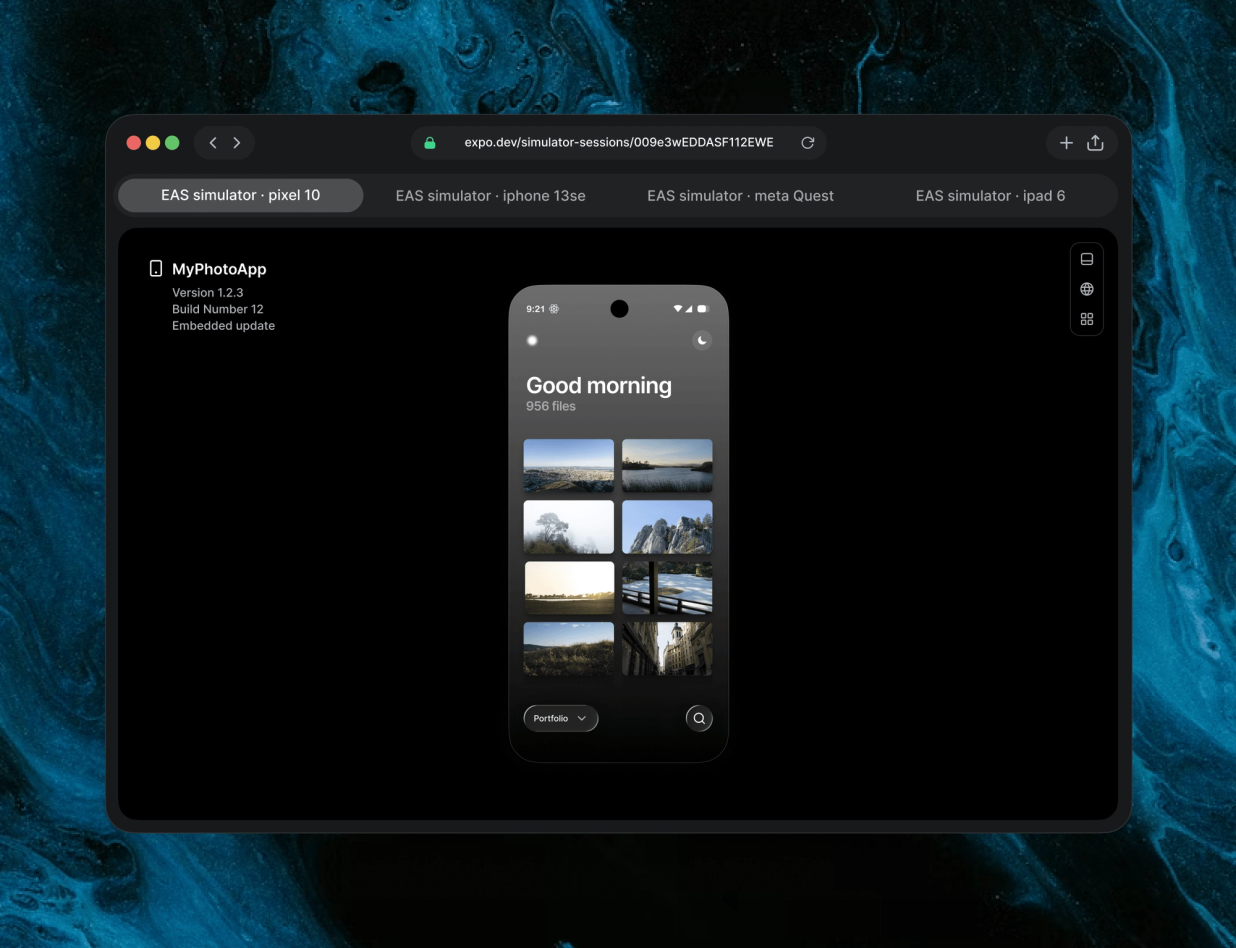
Expo launched on Thursday (12) Expo Simulators, a cloud service that gives coding agents an iOS Simulator and an Android Emulator to install builds, reproduce bugs, test fixes and return proof of the work — with no Mac, no nested virtualization and no laptop RAM consumed.
The announcement was made on the company's official blog and in a press release. The service is available on all Expo paid plans and expands the limited-access EAS Simulator preview introduced in September.
How it works
The agent does not need to learn a new tool: it drives the remote simulator with the same agent-device, Argent or Appium commands it would use on a local one. Claude Code, Codex, Cursor and any agent able to run CLI commands work with the service, according to Expo. The company stresses that Expo Simulators includes no AI model of its own — it provides the runtime.
Each session runs on its own virtual machine, so parallel agents never share a simulator or get in each other's way. Sessions can also be watched live in the browser, with the option to take over manually without installing local developer tools.
Proof of the work
When a session ends, the full video recording, screenshots, logs, network traffic and CPU and memory usage remain available. The agent can read that material and attach it to the pull request, so the reviewer watches the fix working instead of only reading the diff. Any app built for the iOS Simulator or the Android Emulator can run in a session, including projects in React Native, Swift, Kotlin, Flutter and Unity.
Pricing and limits
Pricing is usage-based at $0.10 per simulator minute, for iOS and Android. The Starter, Production and Enterprise plans include 60 minutes per month until 2027. No session runs longer than two hours, and a shorter maximum duration and idle timeout can be set. Expo also said it is preparing Agent Sessions, a layer for enterprises to trigger agents from sources such as customer feedback, with details expected by the end of November — a roadmap item, not part of the current launch.
To start, Expo recommends giving the coding agent the eas-simulator skill with the command npx skills@latest add expo/skills --skill eas-simulator, or starting a session from the CLI with npx eas-cli@latest simulator --platform ios.
Image: the Expo Simulators interface in an iOS Simulator session. Credit: Expo (expo.dev).
Sources
- Expo — Introducing Expo Simulators: cloud simulators built for agents
- PR Newswire, via Morningstar — Expo Launches Cloud iOS Simulators and Android Emulators for AI Coding Agents
- Expo — Expo Simulators (product page)
This text was produced with the help of artificial intelligence, cross-checked against public posts on X and sources on the internet. Please confirm the information in the original sources.
By Muse